Two different issues need attention: the hole's shape and its final position.
Follow the hole through the bend
Take an illustrative L-shaped mounting bracket with a bolt hole near the root of its upright flange. This is a design example, not a production case.
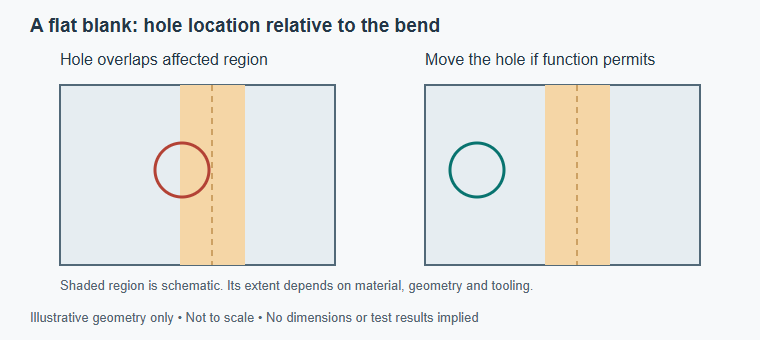
If the hole enters the region affected by the bend or forming tools, material deformation can pull it out of shape. Separately, variation in bend angle or flange geometry can shift its position relative to the bracket's mounting base—even if the hole stays round.
That distinction matters. Making the hole larger may hide an alignment problem while reducing bearing area or allowing unwanted movement.
Choose a change around the hole's job
Move the hole away from the bend, if the mating layout allows it. The appropriate distance depends on thickness, material, bend radius and tooling. There is no single clearance rule that suits every shop and part.
Use a slot where adjustment is acceptable. Orient it along the direction that needs adjustment. Check washer support and whether the joint relies on the hole to locate the assembly; a slot changes that function.
Make the critical feature after forming. Drilling or machining the hole in a fixture can control its relationship to the finished bracket. This adds handling and requires tool access, so it is most useful where the functional requirement justifies it.
Bend relief can help prevent tearing or bulging at a bend end. It is not a universal cure for a hole placed in the deforming region.
Check the formed part against its mating surfaces
Show which face mounts to the assembly and which hole must align. If that relationship matters, define and inspect it on the formed part rather than assuming a correct flat pattern guarantees it.
A marked-up bracket photo and mating-part view are enough to start a review with Qualix. We can compare a layout change with a post-forming operation before adding unnecessary precision to the entire bracket.